Small business status carries a monthly filing obligation. The declaration is submitted on rs.ge, the Revenue Service portal, and it is due by the 15th of the following month. October income is declared by 15 November.
The form itself has only two fields that matter. Almost all of the work is in getting the GEL figures right before you open it.
Before you start
Have two numbers ready, both in GEL:
- Income for the reporting month.
- Cumulative income for the calendar year, January through December, including the reporting month.
If any payment arrived in a foreign currency, each one converts at the National Bank of Georgia rate for its own deposit date — not a month-end or average rate. The calculator does this automatically: enter each payment with its date and currency, and it pulls the official NBG rate per entry. The conversion guide explains the methodology.
Step 1 — Open the declarations section
Log in to rs.ge, open the menu and choose Declarations. Note that this is not the same as Charged on Declaration, which shows already-assessed liabilities.
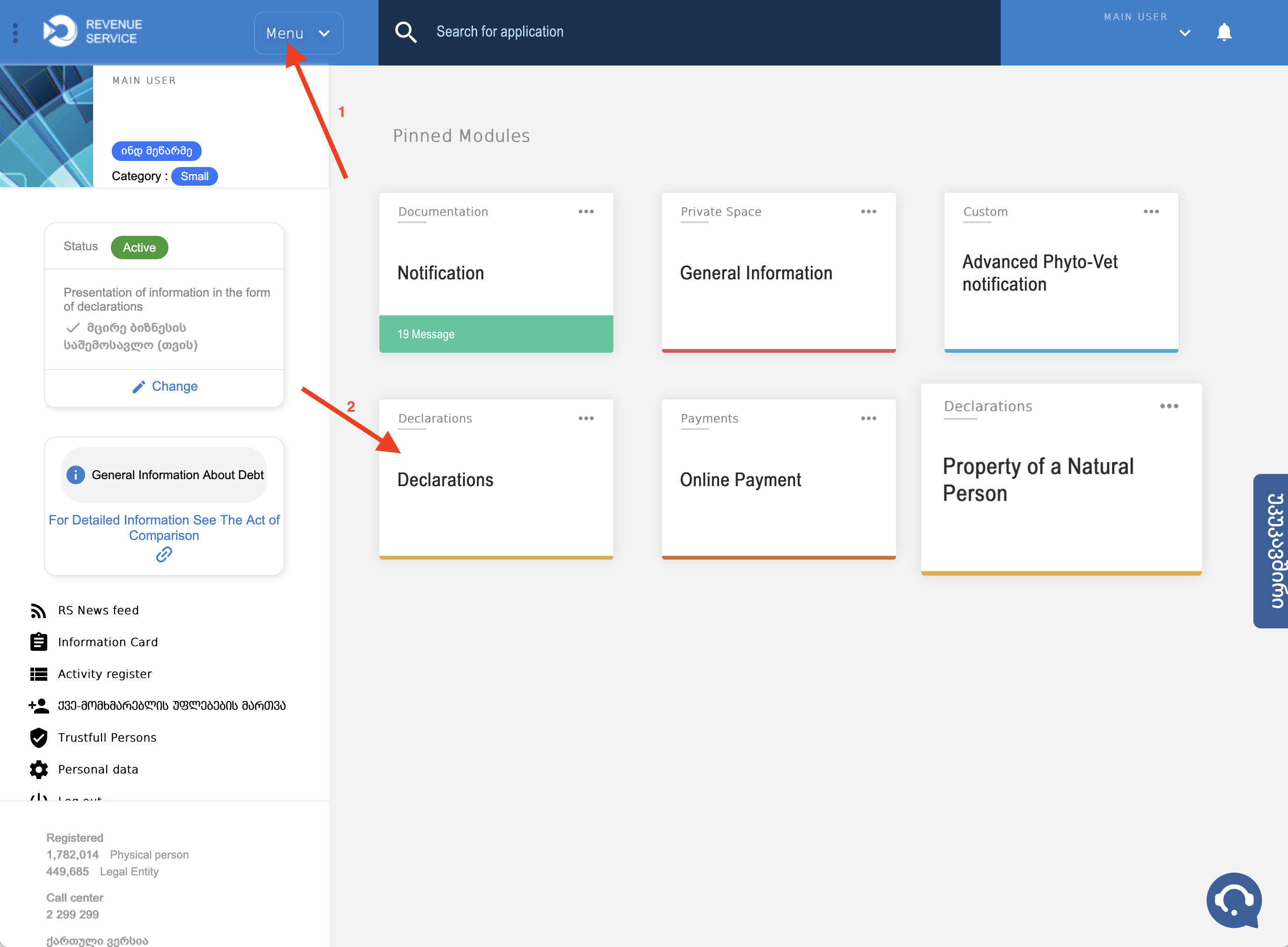
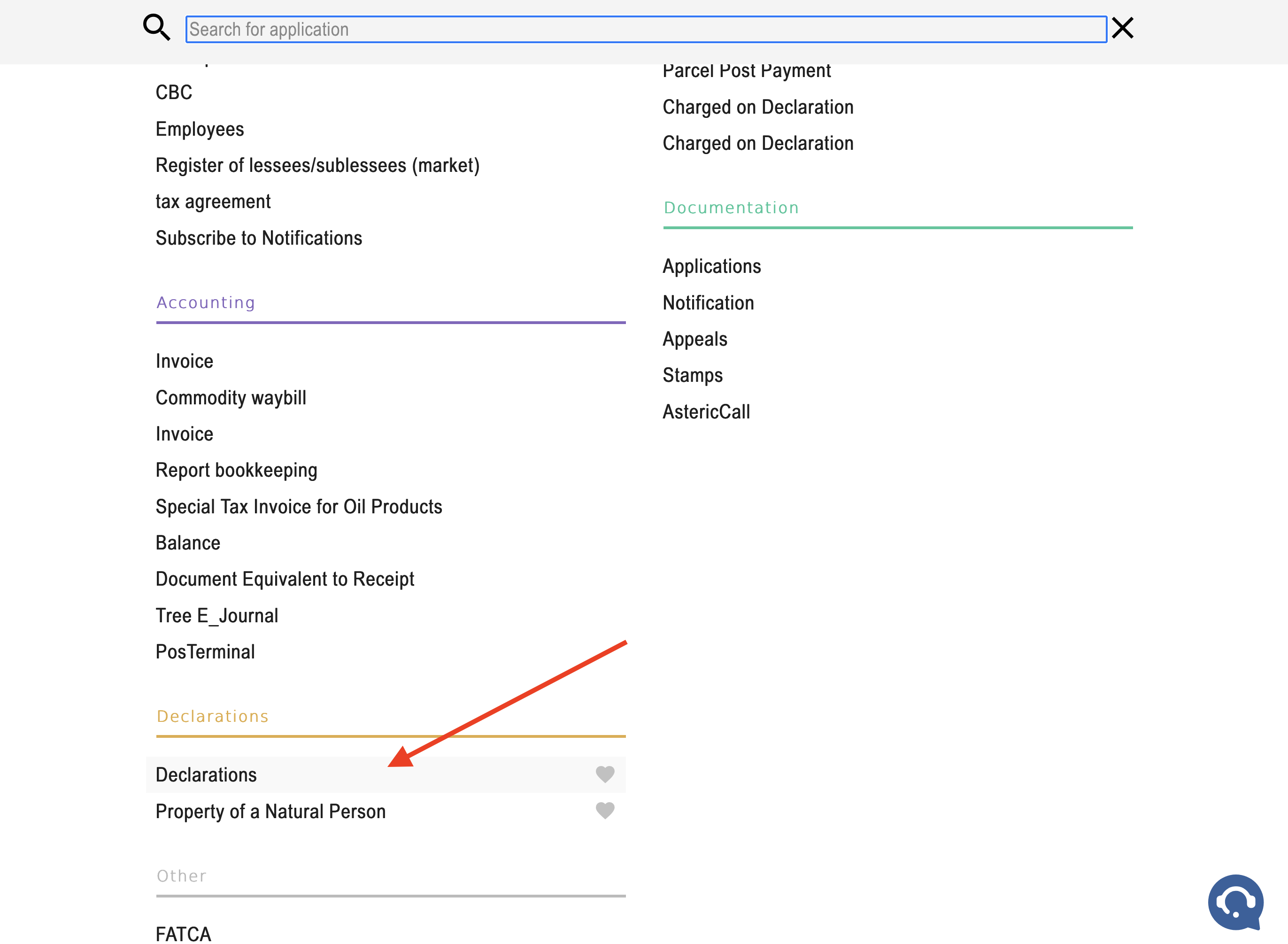
Tip: mark Declarations as a favourite. It then appears as a quick link on the home screen and saves two clicks every month.
Step 2 — Create a new return
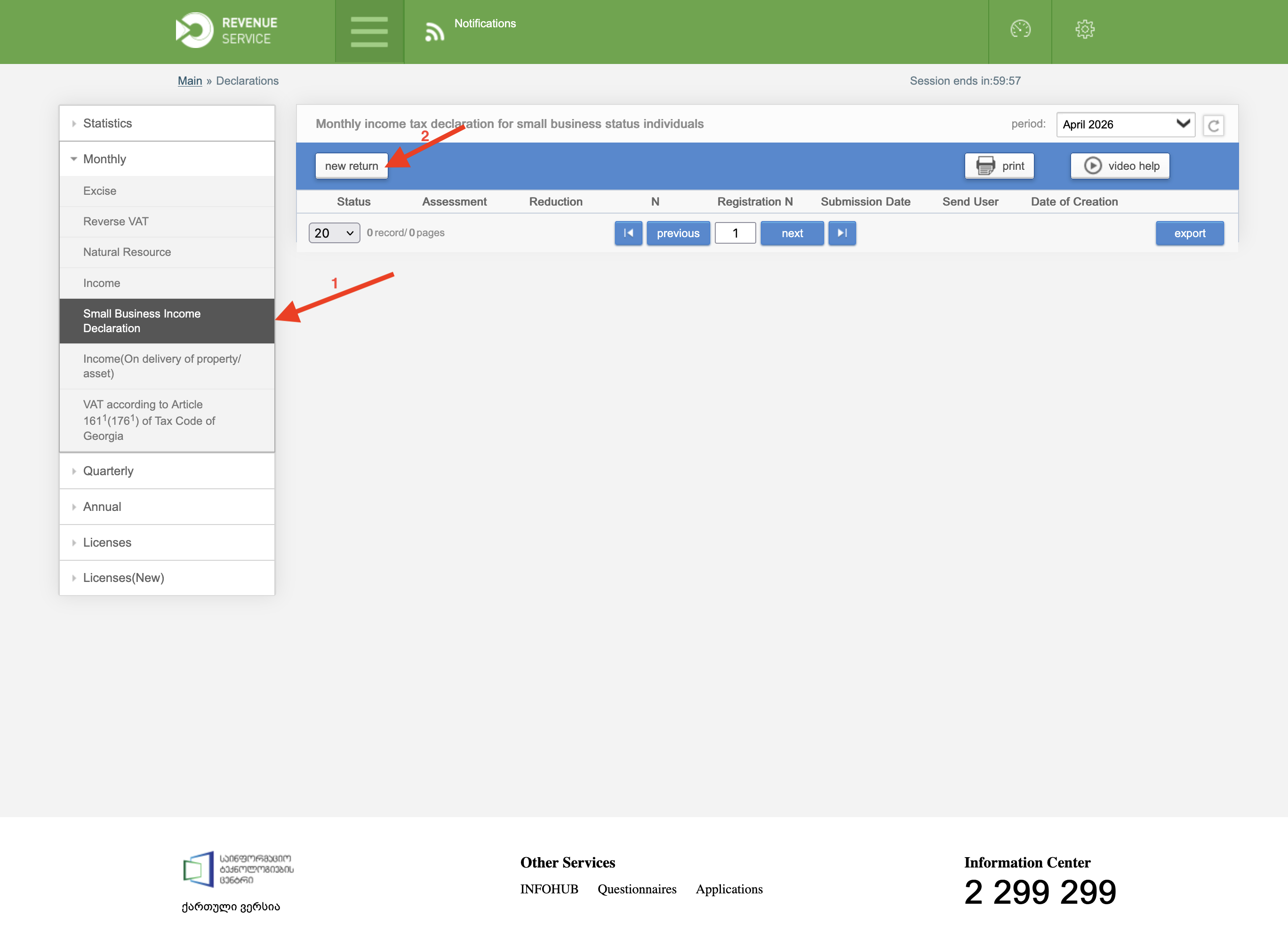
Select the Small business declaration type, then click New return. Choose the correct reporting month — the portal defaults to the current one, which is usually not the month you are filing for.
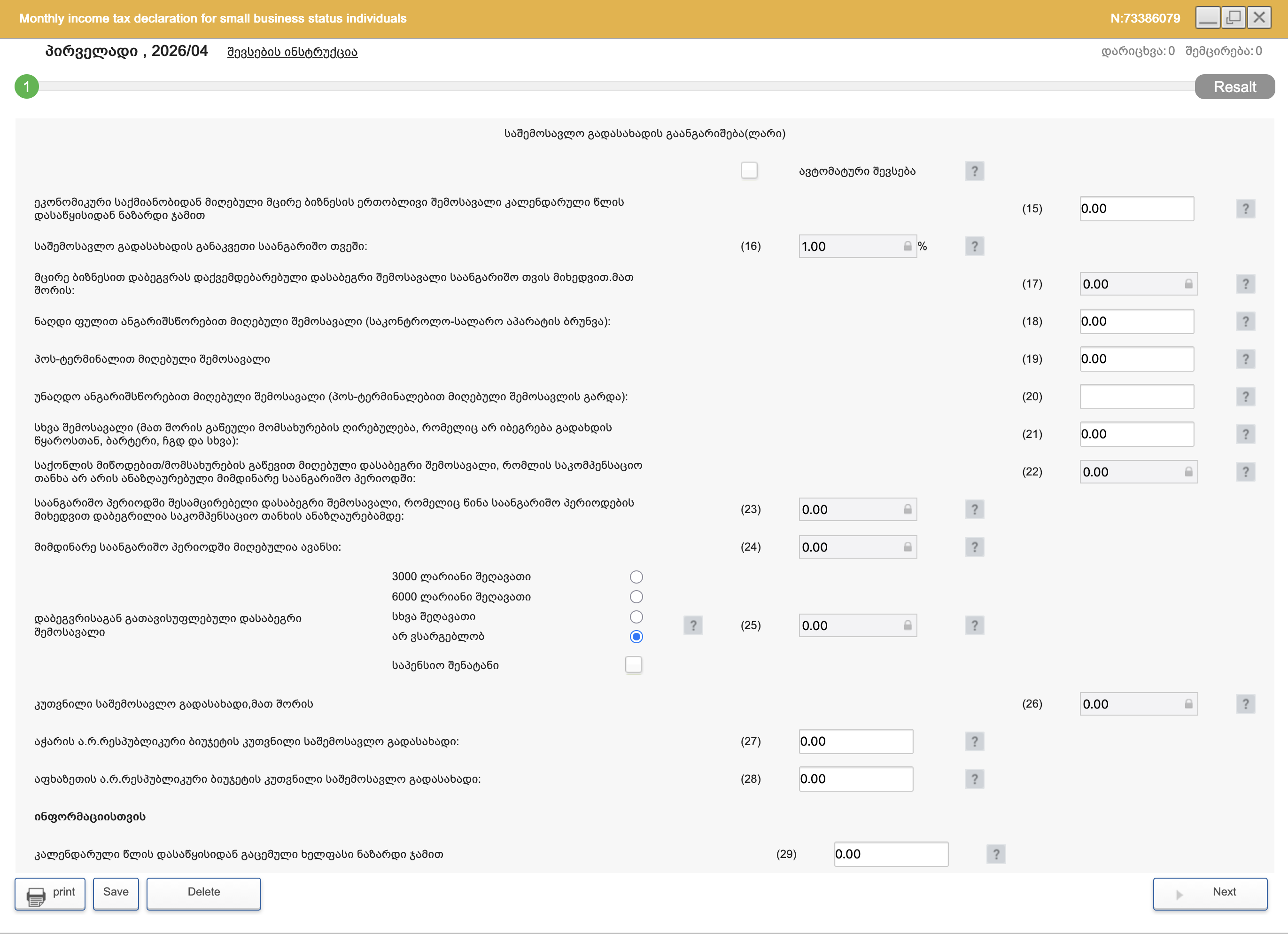
Step 3 — Fill in the two fields
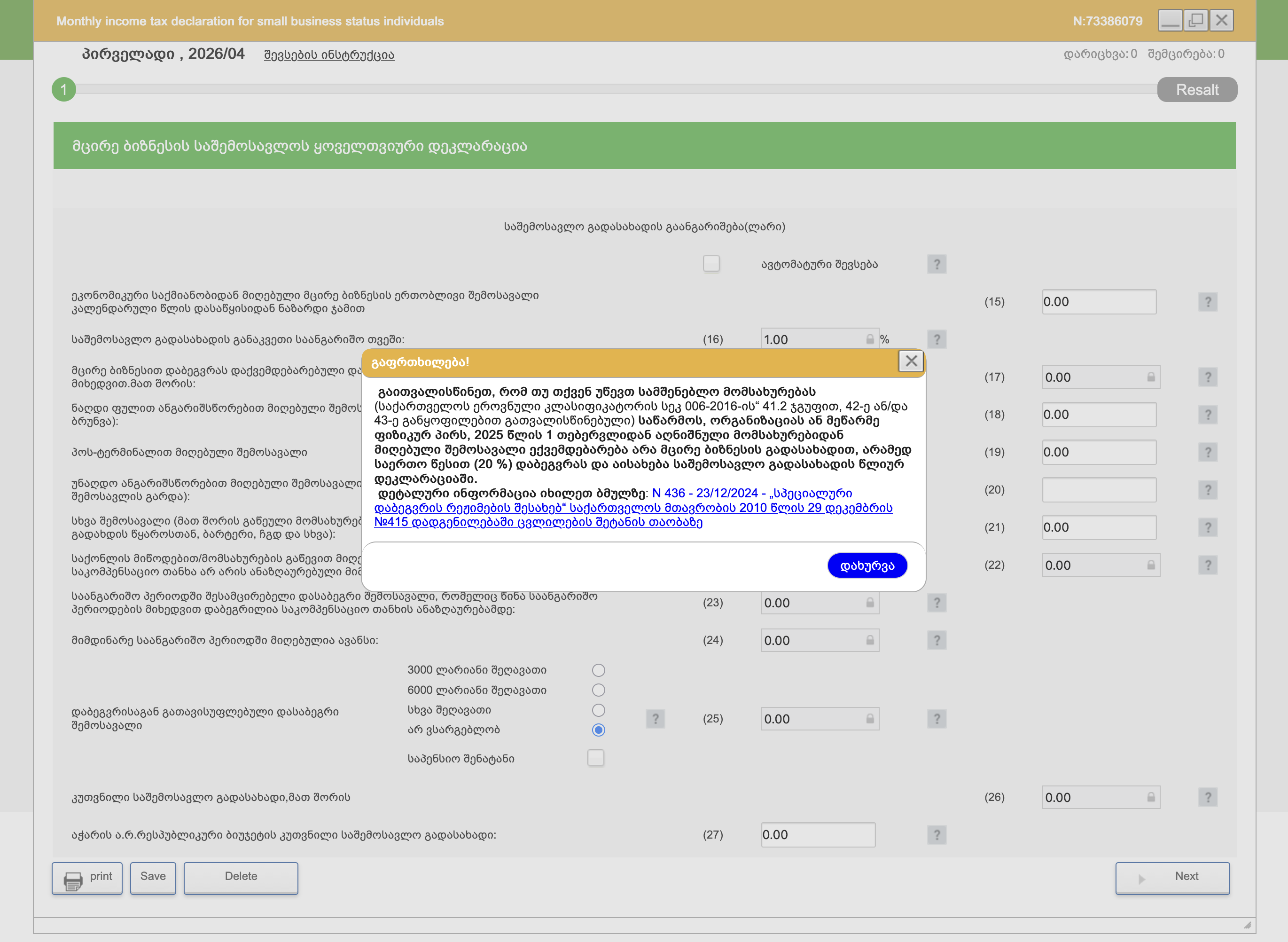
| Field | What goes in it |
|---|---|
| Field 15 | Annual income, January–December of the current year, in GEL |
| Field 17 | Income for the reporting month, in GEL |
The 1% tax is calculated by the portal — you do not type it. If the computed figure does not match your own calculation, the discrepancy is almost always in the exchange rates, not the arithmetic.
Step 4 — Submit
Click Next, review the summary, then Send. A confirmation checkmark means the return is filed. Note the declaration number — you need it for the payment reference.
Step 5 — Pay
Filing and paying are separate actions. A filed return that is not paid still accrues interest.
- Open your bank app and find Payments to state treasury.
- Use treasury code 101001000.
- In the description, put: income tax for [month/year], declaration No. [number].
Payment is due on the same deadline as the filing — the 15th of the following month.
Zero-income months
A month with no income still requires a return, filed with zeros. Skipping it is the single most common source of penalties for new entrepreneurs, because nothing in the portal reminds you and the fine accrues quietly. See deadlines and penalties.
Correcting a filed return
If you discover an error — a missed payment, a wrong rate — file a corrected return for the same period rather than adjusting a later month. Voluntary correction before the Revenue Service finds the discrepancy is treated far more leniently than the alternative.
Making it routine
The workflow that takes the least time each month:
- Export the month's statement from your bank.
- Import it into the calculator — it reads Bank of Georgia and Credo exports directly.
- Read off the monthly and year-to-date GEL totals.
- Enter both into fields 17 and 15, submit, pay.
Ten minutes, once a month.